State-point analysis
Enter temperature and humidity to automatically calculate dew point, wet-bulb temperature, enthalpy, humidity ratio, specific volume, and more. State points can also be plotted on the psychrometric chart.
PWA / Works on smartphone, desktop, and tablet / Japanese & English / SI & IP(US)
A psychrometric calculator app built for HVAC engineers, maintenance staff, construction managers, designers, and commissioning teams. From state-point analysis to HVAC process calculation, air mixing, and PDF export, it keeps the workflow in one place.
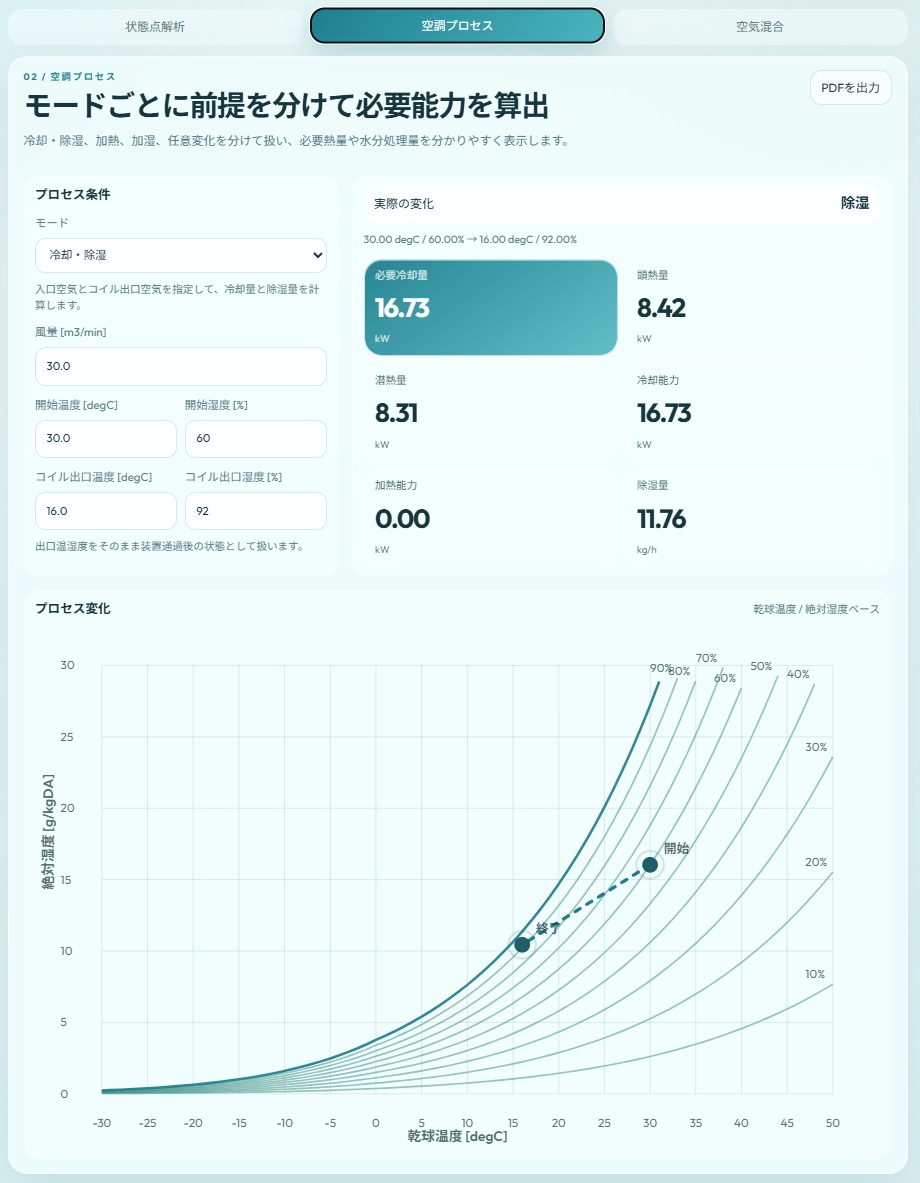
Designed for quick checks on a smartphone during commissioning, maintenance, and troubleshooting.
On PC and tablet, the wider layout makes it easier to compare conditions and review results.
It does not stop at calculation. PDF export makes it easier to record and share results.
Features
Built to balance speed for field work and enough detail for engineering review, from basic state-point analysis to advanced calculations.
Enter temperature and humidity to automatically calculate dew point, wet-bulb temperature, enthalpy, humidity ratio, specific volume, and more. State points can also be plotted on the psychrometric chart.
Supports cooling and dehumidification, heating, humidification, and arbitrary changes. It also calculates required heat load, cooling capacity, heating capacity, humidification amount, and dehumidification amount.
Supports mixing calculations for two air streams. Useful for outdoor-air mixing and engineering checks where quick condition review matters.
Export results from each screen as PDF. Easier for reports, records, internal sharing, and discussion materials.
Supports Japanese and English, plus SI and IP(US) units. Easier to use across different teams and projects.
Runs directly in the browser and is easier to use even offline. It keeps the experience consistent across field and office environments.
Screens
See the core workflow at a glance, from state-point analysis and HVAC process calculation to air mixing and PDF export.
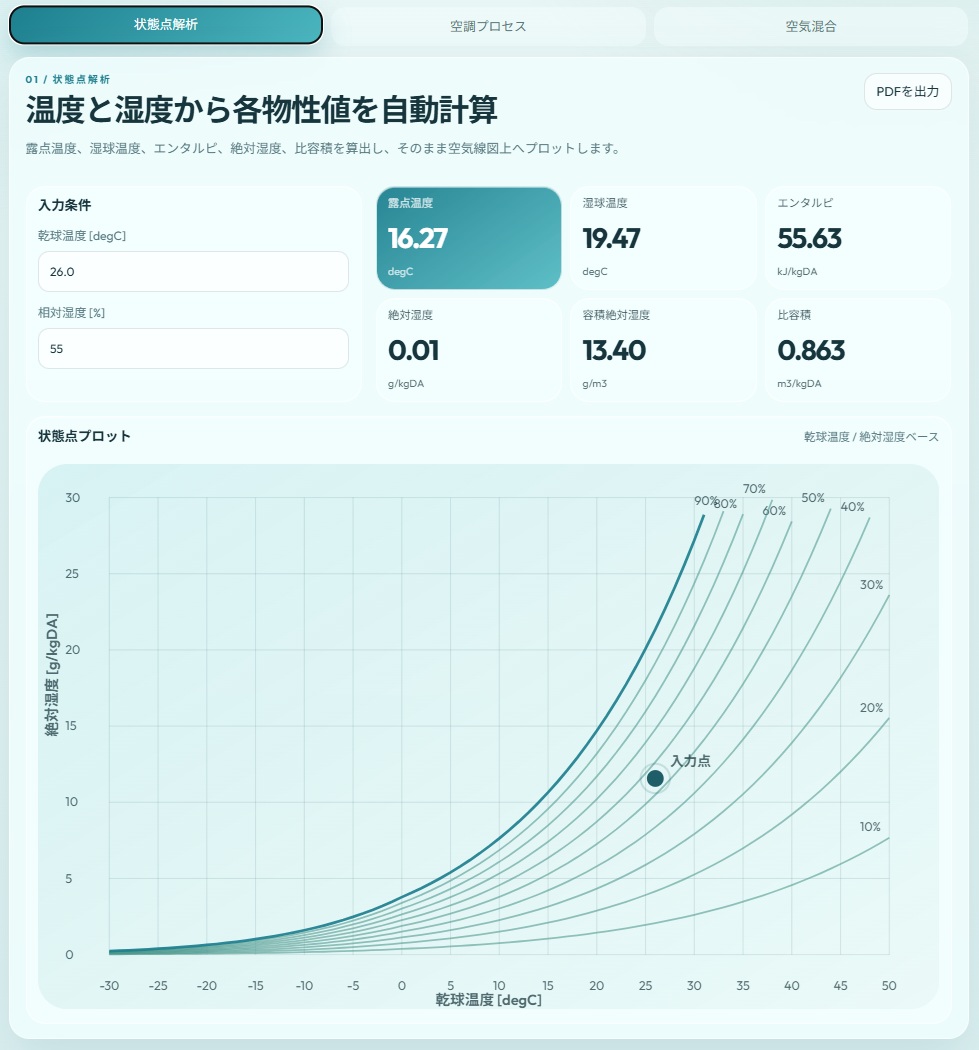
A core screen for on-site measurement review and fast condition checks.
Follow cooling, dehumidification, heating, and humidification changes through to required capacity.
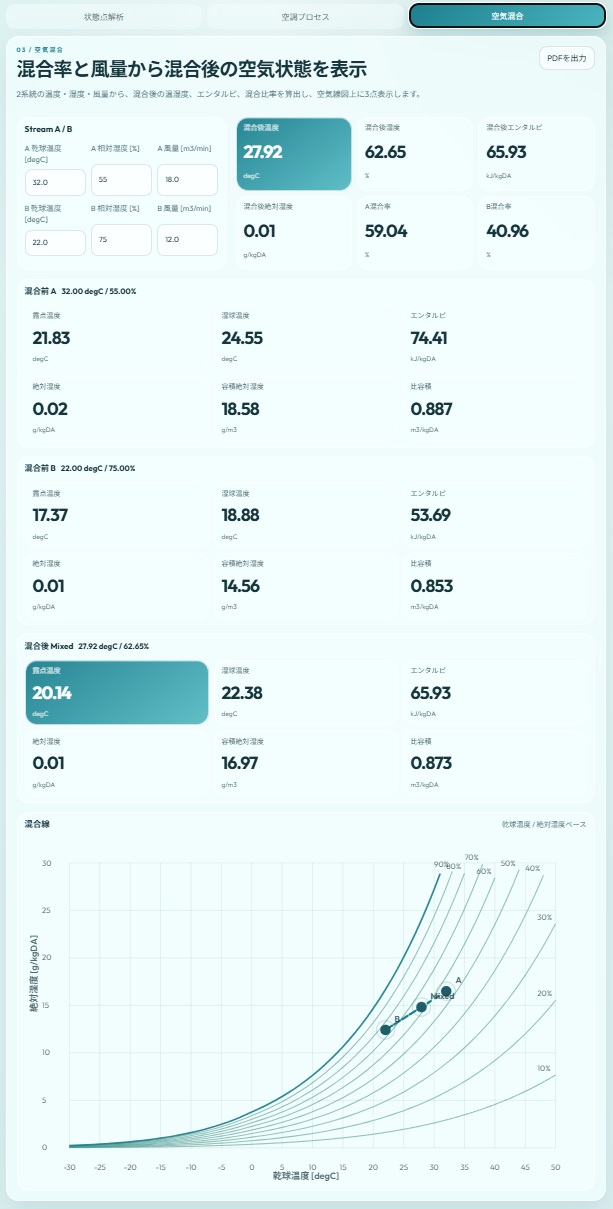
Useful for practical tasks like outdoor-air and return-air mixing checks.
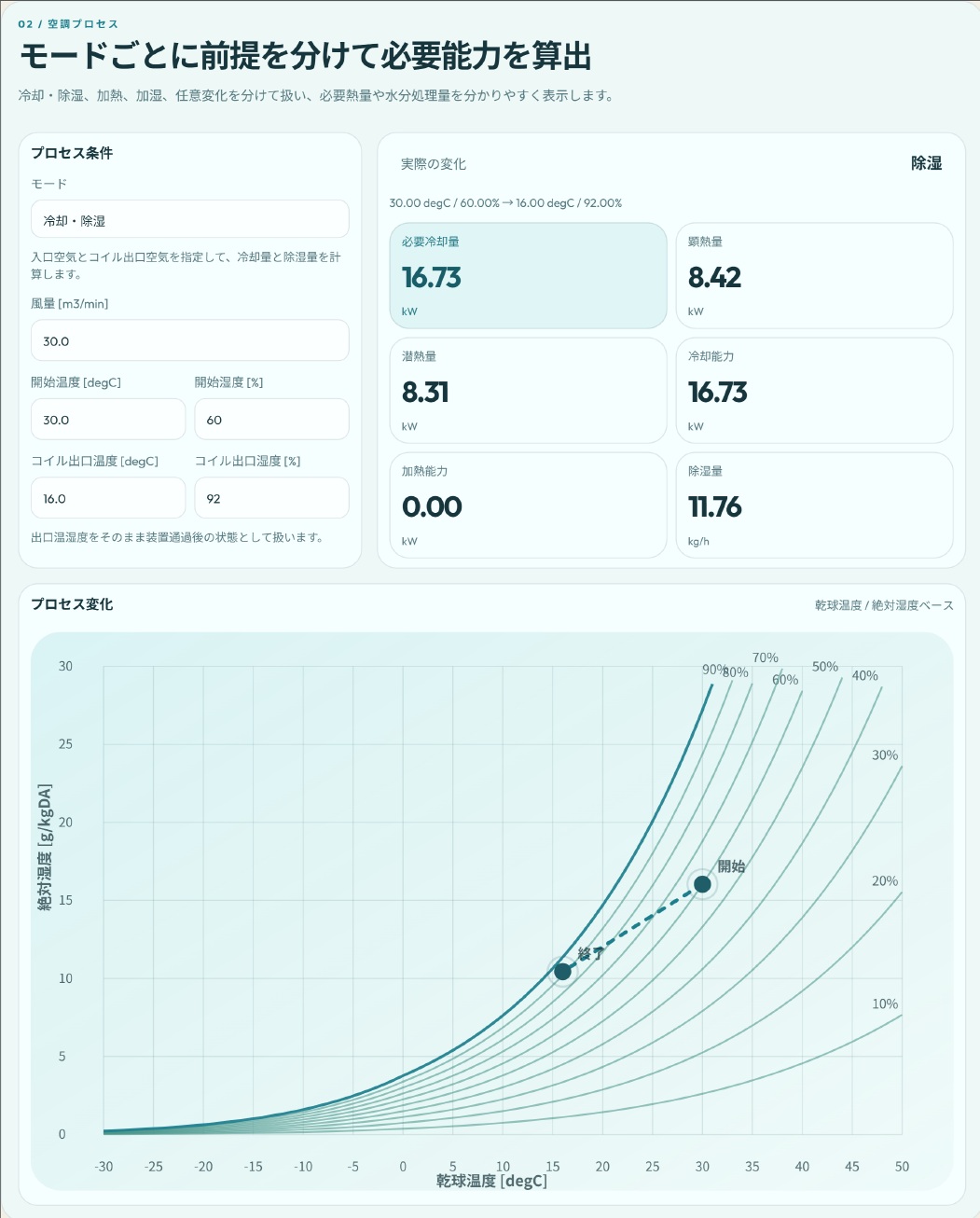
Makes reporting, recording, and sharing easier.
Use Cases
Check air properties from temperature and humidity on the spot, including dew point and enthalpy, to speed up adjustment decisions.
Use calculations to verify condition changes and treatment amounts, making findings easier to explain.
Export results as PDF for site reports, stakeholder sharing, and better record keeping.
Organize conditions on desktop or tablet and compare process and mixing calculations more comfortably.
For Engineers
By connecting numerical checks, process changes, capacity calculations, mixing review, and PDF export in one app, the workflow is less likely to split between field and office work.
Plans
The free plan is an easy entry point for state-point analysis. Pro extends the workflow with process calculation, mixing, and PDF export.
Free
Pro
One-time Pro purchase Available immediately after purchase
| Item | Free | Pro |
|---|---|---|
| State-point analysis | ○ | ○ |
| State-point display on chart | ○ | ○ |
| HVAC process calculation | - | ○ |
| Heat load and capacity calculation | - | ○ |
| Air mixing calculation | - | ○ |
| PDF export | - | ○ |
| Japanese / English | ○ | ○ |
| SI / IP(US) | ○ | ○ |
FAQ
Yes. It is designed to be easy to use on a smartphone for commissioning and inspection work.
Yes. On desktop or tablet, the wider layout helps with organizing conditions and reviewing results.
The free version includes state-point analysis. Process calculation, mixing calculation, and PDF export are available in Pro.
Yes. It supports Japanese / English and SI / IP(US), so it can fit different users and projects.
Start Now
Start with the free version for state-point analysis, then move to Pro when you need more. Bring a psychrometric calculator app into daily work across both mobile and desktop.